3D Rendering Software for Flawless Visuals, the Easy Way
Generate flawless photorealistic visuals on the first try, every time. Sunlight, shadows, and viewpoints are handled automatically. From floor plans to 3D visuals to presentation documents, Cedreo 3D rendering software covers your entire project.
Get Every Rendering Right the First Time with 3D House Rendering Software Built for Professionals
Cedreo is 100% online 3D rendering software…no powerful computer required. Cedreo’s advanced rendering capabilities automate shadows, lighting, transparency, and textures. Once you draw and furnish your project, Cedreo selects the best camera position and generates renderings with the best viewpoint in just a few seconds. Launch 2 renderings at once and save time as you present concepts, help clients visualize the design, and accelerate approvals.
Professional-quality renderings
Cedreo sets the framing and lighting automatically for flawless photorealistic visuals, downloadable in HD or Full HD.
Generate your render in 3 clicks
In automatic mode, just pick a viewpoint, choose an environment, and generate. It’s fast, simple, and impossible to get wrong…no manual setup.
Integrate the project into its surroundings
Present a realistic render with a site‑matched background for true‑to‑life context.
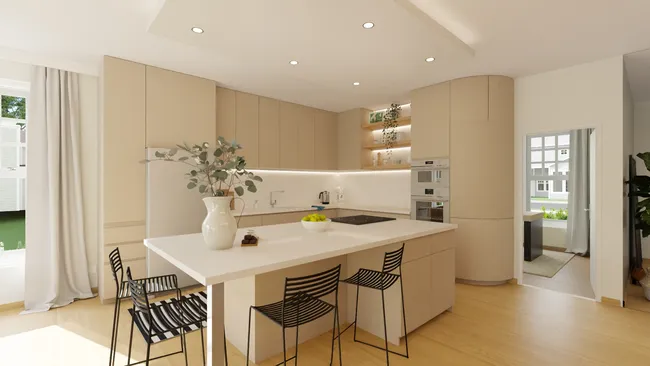
Automatic Settings
- Automatic camera angles: Cedreo sets the camera’s elevation, tilt, orientation, and focal length for you, so you capture the best viewpoint every time.
- Lighting optimized automatically: Sun orientation and brightness adjust to match your chosen environment for consistent, realistic natural light.
- Prebuilt or custom environments: Choose a background from a varied library (countryside, mountains, seaside, city, etc.) or import a photo of the property for true-to-life context.
- 2 renderings at once: No more waiting for one render to finish. Launch up to 2 renderings in parallel and keep working on your project.
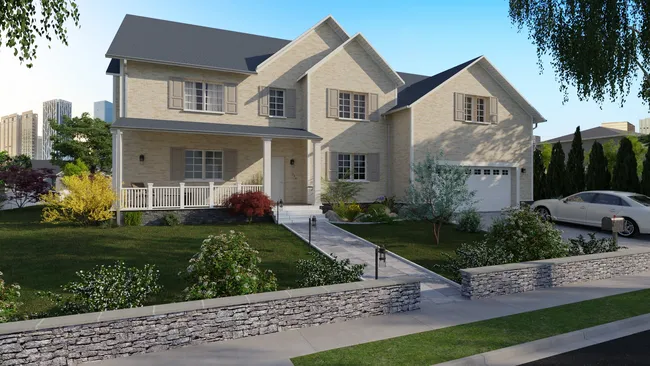
Manual Settings
- Full camera control: Adjust elevation, tilt, orientation, and focal length to capture the exact angle you want for your construction or renovation project.
- Sun management: Position the sun freely and instantly preview the play of light and shadows.
- Switch modes anytime: Jump between automatic and manual whenever you like. Let automatic mode pick the viewpoint, then fine-tune the environment or lighting as needed.
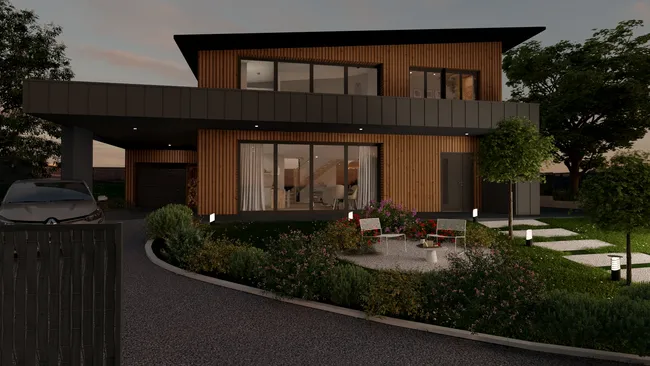
Multiple Types of 3D Renderings
- Download your 3D renderings: Choose from three formats, from web size to Full HD (1920×1080).
- Build a visuals gallery: View every image for each project from the Project Manager.
- – Generate day or night visuals: Create daytime or dusk scenes…lighting is set automatically, or fine-tune it yourself in Manual mode.
Explore All Features
Give clients a clear project overview so they can easily visualize the design.
3D Furnishing
Choose from a wide selection of furniture, décor, and materials to immerse clients in their future home.
3D Floor Plans
Generate a 3D plan to view the entire layout with furnishings and décor.
Terrain Design
Use Cedreo as 3D exterior rendering software to create a site plan that matches real-world conditions and client expectations.
Project Presentations
Centralize all project information (2D plans, photorealistic renderings, and architectural drawings) into a single presentation document.
Examples of 3D Renderings Created with Cedreo
Cedreo 3D rendering software lets you create 3D high quality images for a variety of different projects, like new construction, renovation, additions, and commercial properties.
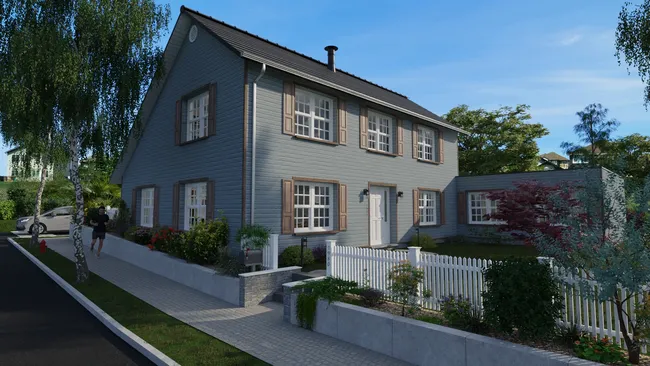
Traditional Home
The traditional home never goes out of style. A wide range of exterior wall materials and roofing options helps you adapt each build to the region’s architectural style.
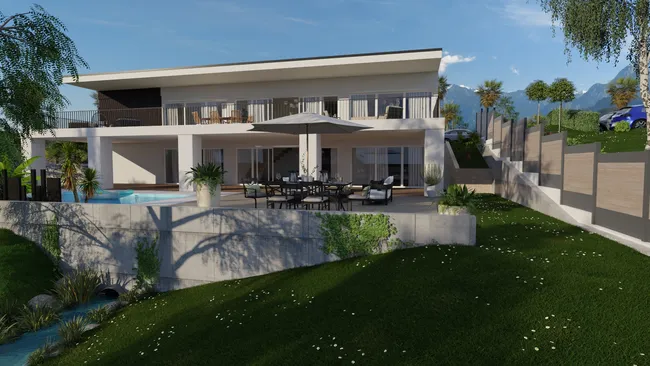
Contemporary Home
Modern and innovative, the contemporary home is defined by a flat roof and large openings to the exterior. The design library includes a wide range of windows and doors with options from bay windows to sliding doors, from 2 to 6 panels, with or without transoms, and much more.
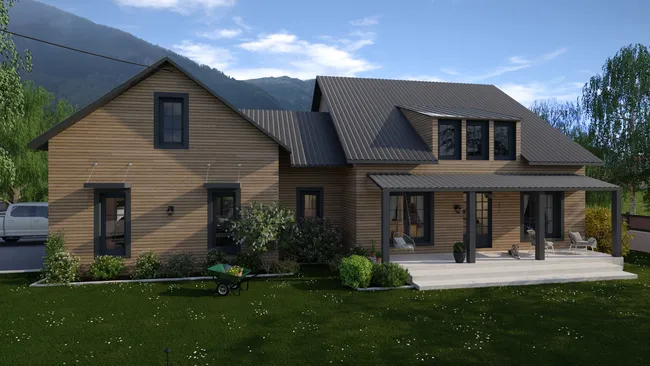
Renovation
Whether it’s a second story, an addition, or an interior renovation, help clients envision themselves in the space with before/after photorealistic renderings.
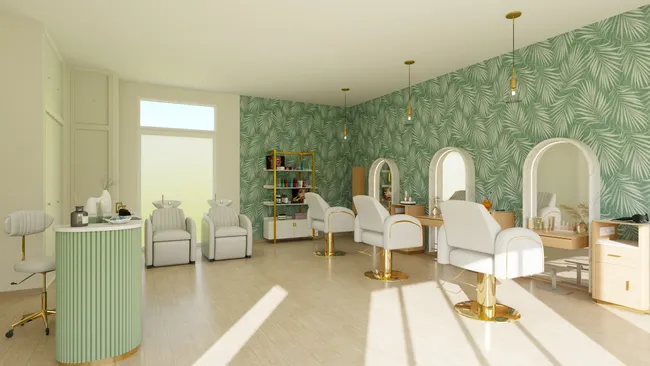
Commercial Space
Daycare, health and beauty, office, boutique, grocery, restaurant, bar, or hotel…find the specific furniture, equipment, and accessories you need in the 3D product library to design these spaces.
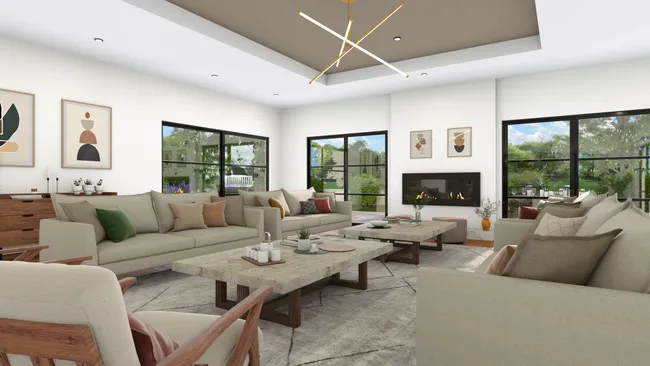
Living Spaces
3D renderings of living areas give clients a realistic view of their future interior. Emphasize lighting, volumes, and décor to simplify decisions and showcase your professional expertise.
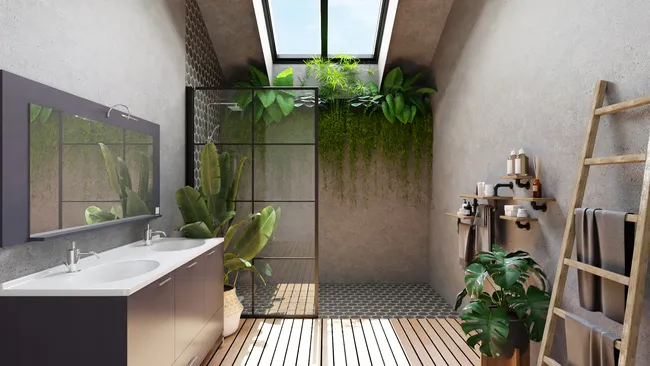
Bedroom & Bathroom
Personalize the most intimate rooms of the home according to your clients’ tastes and needs. Multiple moods and décor styles are available to suit each client.
Frequently Asked Questions
What is 3D rendering software?
3D rendering software is a tool that transforms 2D plans and 3D models into photorealistic visuals by calculating lighting, shadows, materials, and detailed textures to mimic real life. Cedreo streamlines this rendering process with intuitive modeling tools and automated rendering features for high‑quality renders, fast.
Why use architectural rendering software on construction or remodeling projects?
3D rendering software helps you show photorealistic previews, validate materials and layouts, speed up approvals, and improve communication. A lot of builders and interior designers use Cedreo to generate perfectly framed, high‑resolution images in minutes with a user‑friendly interface.
Why use 3D rendering software for interior design?
It helps designers visualize design ideas with detailed surface textures and realistic lighting conditions that communicate concepts to clients. With Cedreo’s seamless integration into the design process from floor plans to rendering, you can change materials, finesse final touches, and save loads of time. And in automatic mode, Cedreo picks the best interior viewpoints for you… no setup needed.
What types of renderings can you create with Cedreo house rendering software?
With Cedreo, you can produce several types of house renderings to showcase your projects, such as exterior 3D renderings, interior 3D renderings, and aerial perspectives. And with Cedreo’s automated rendering tools, you can be sure that your renderings turn out perfect the first time, regardless of the type of rendering you’re creating.
How long does the rendering process take to go from a 3D model to photorealistic renderings with Cedreo’s rendering tools?
Cedreo is fast and easy 3D rendering software, so there’s no steep learning curve. Go from full plan to final rendering in under 2 hours. Each photorealistic image renders in less than 5 minutes, so you can present multiple variants without slowing approvals. And with automatic mode, you get the best viewpoints in just a few clicks, no technical setup required.
How does rendering software allow you to present multiple versions to a client?
Cedreo makes it easy to iterate. Every viewpoint is saved automatically when you generate a rendering, so you can change furnishings or materials, then create a new image from the exact same angle (even after closing the project) for a side-by-side comparison. You can also generate 2 renderings at once to get presentation visuals faster.
Are 3D renderings included in the Cedreo subscription or billed extra?
3D renderings are included in your Cedreo plan. Whether you choose Pro or Enterprise, you can generate multiple HD and full-HD visuals each month.
Do I need a powerful computer to generate 3D renderings with Cedreo?
Cedreo is 100% online and works on Mac or PC. You don’t need a powerful computer to create high‑resolution images. Shadows, lighting, transparency, and textures are handled automatically in minutes. As long as you have an internet connection, you can use your laptop during client meetings to make live design changes.
How do you optimize lighting conditions in a rendering?
Depending on the software, several options may be available.
- In automatic mode, Cedreo sets the sunlight to match your chosen environment, so the lighting looks right on the very first render.
- In manual mode, you control the sun position to simulate natural light at different times of day and preview shadows in real time.
These features create realistic renderings with balanced shadows and accurate lighting conditions.
Is there 3D rendering software for Mac?
Yes. Cedreo is 100% online and works on Mac or PC, so professionals can produce high‑resolution images without a powerful computer or installing other programs. Render complex scenes anywhere and keep your projects moving quickly from concept to client approval.
It’s easy to use.
But you can always count on Cedreo support.
For an even faster start, access tutorials and help articles.
Get tips to do more, faster.

“Cedreo is the perfect tool for helping people envision their projects thanks to such high-quality visuals.”